
Recording PC screen when someone logs on to the PC
-
We have one PC where we update the parameters for an industrial process and lock the PC once done. I am looking for a screen recording application that will run for a few minutes when we enter the values, so, later on, I can analyze the parameter values and production output. Can I set My Screen Recorder Pro to record when someone logs on to the PC?
-
You can create a schedule in My Screen Recorder Pro to run on ‘log on’. You can choose to perform the screen recording for a specified time or until the computer logs off.
To add a schedule, click the ‘Schedule’ icon on the toolbar. Choose the folder location to save the recording and click Next. Then select the schedule type as ‘On log on’. Set the time in minutes to run the schedule. The schedule will run from the time you log on to the PC for the specified time.
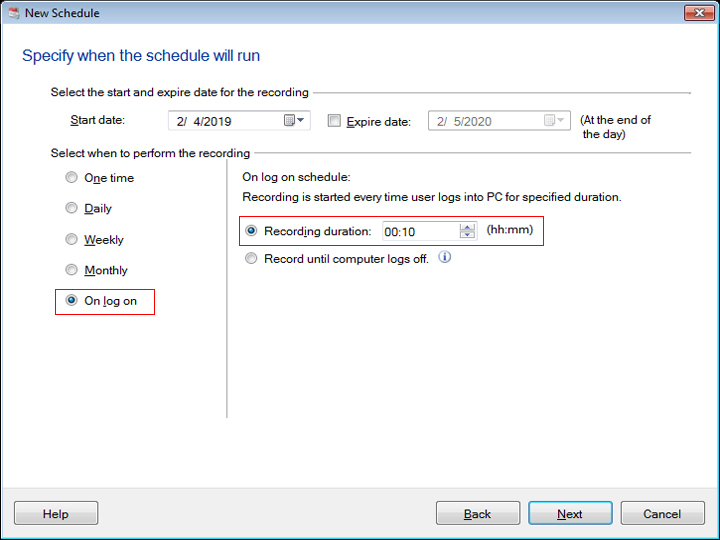
Every time you log on to the PC, the schedule will run and a screen recording will be performed. The filename for the video recording will contain the creation date and time.