
Screen recording an intermittent error on my PC
-
I am testing a new software project, and I have to create a problem report. I would like to capture the series of events which cause an problem, but the problem only happens occasionally. Can I use My Screen Recorder Pro to only capture when the problem occurs?
Thanks.. -
You can keep My Screen Recorder Pro recording continuously and save the screen recording of the last few minutes when the problem occurs.
Go to the Settings dialog and select the 'Recording Options' tab. Check the 'Timed recording Options' and select 'Save the last "x" minutes of recordings'.
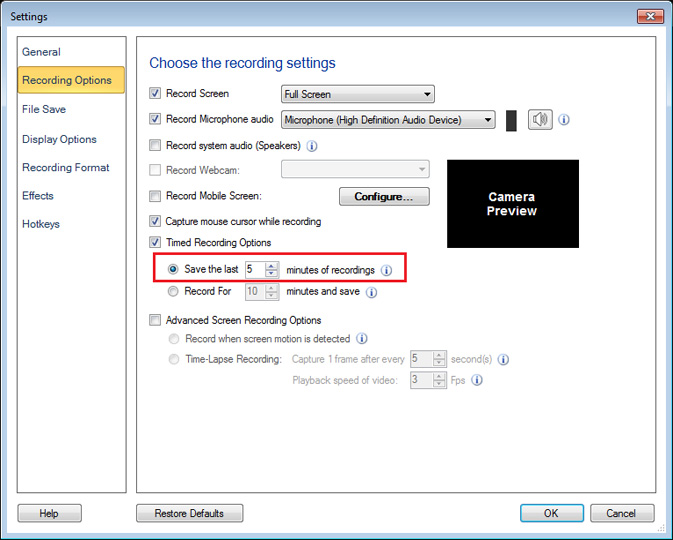
Next, enter the value for ‘number of minutes’ such that it covers the entire series of events which cause the problem. When the problem occurs you can stop recording and My Screen Recorder Pro will create a file for the duration you have specified. This will give you the required evidence of the problem occurring.