
Recording video 24/7 every day
-
I just purchased Security Monitor Pro and its working very well with my Wanscams. I want to set-up schedule to record 24/7 non-stop every day 365 days a year. I am not able to configure it. Can you please help to set up Security Monitor Pro for this purpose?
-
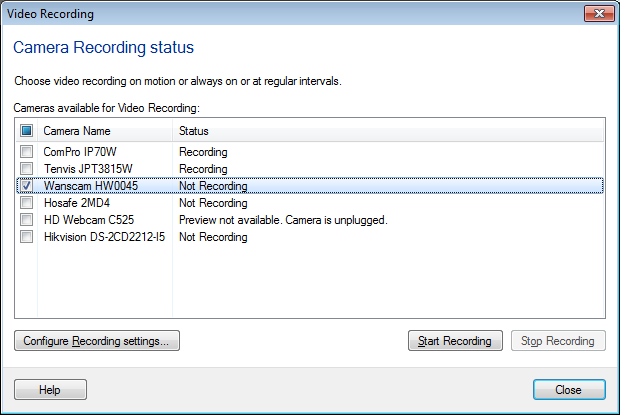
Security Monitor Pro allows you to continuously record videos. To perform continuous recording, add your cameras and click on the Record icon from toolbar. Select all cameras on Video Recording dialog and click Start Recording button.
You can also perform continuous recording using the Schedule. Click on the Scheduler icon from the toolbar. Select your cameras and choose Video Recording option. Then select schedule type as Daily.
Now, select date and time from which you want to start recording.
Set Run for option to 23:59 hh:mm.
Repeat after every: 1 day(s).
Expire date and time is optional. If you don't specify it the schedule will continue to run each day.