
Placing a image logo on my screen recordings
-
I am a teacher and using My Screen Recorder Pro for creating video tutorials for my students. I want to place a logo of my institute on the recordings. I don't see any option for this. Please help!!!
-
With My Screen Recorder Pro you can add watermarks or logos to your screen recordings.
Before creating the video recording,
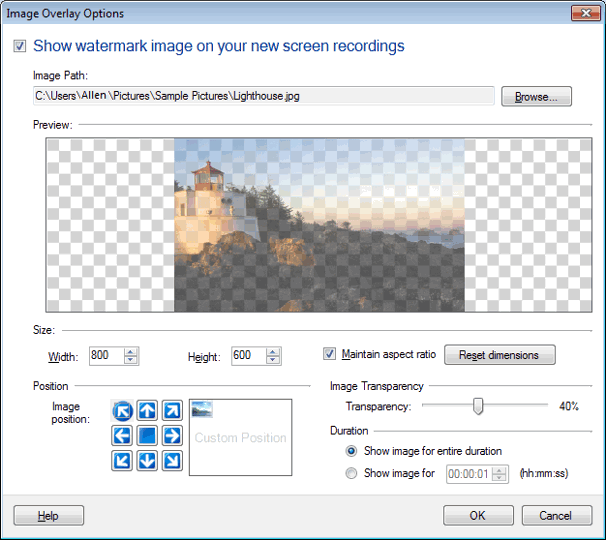
- Go to Effects menu >> Image Overlay.
-
Select an Image by clicking on Browse. You can see the image in the Preview.
-
Resize your image file by adjusting its width and height. If the Maintain Aspect Ratio checkbox is selected, the height and the width is maintained proportionately.
-
Set the Image Transparency by changing it from 1% to 90% using the slider.
-
Position your image on the recording screen by moving the image to the desired location.
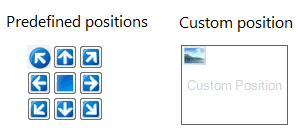
Select the duration option as needed - this allows you to have the image on screen for the complete recording duration or for a limited time. Finally, you can click on OK and create your screen recordings.