
Start video recording simultaneously on multiple cameras
-
I always have to start manual video recording for each camera. I have up to 10 cameras, it is time consuming to start recording for each camera. Is there any way to start recording for all cameras at the same time?
-
Security Monitor Pro allows you to start recording on multiple cameras at the same time.
Here's how:
- Click on the 'Record' icon from the tool bar.

- When you see the "Video Recording" dialog, press "CTRL + A" to select all cameras.
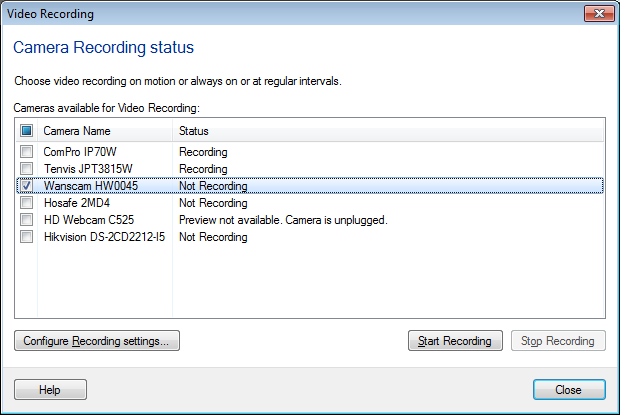
- Click on the "Start Recording" button and recording will be started for all cameras.