
Searching for screen recordings
-
I create lots of screen recordings every day. Because there are so many files, I find it difficult to search some of my previous recordings. Is there anything that can help me to find the file I am looking for?
-
You can use the File Search function in My Screen Recorder Pro to find your files.
Here is how:
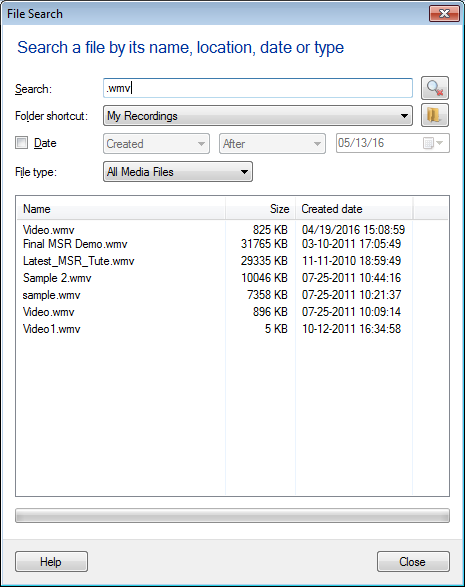
- From File menu >> Click on the 'Search...' option. You will see following dialog:
-
Enter a few characters of the filename to begin the search. Make your searching process faster by entering Date and File Type.
-
If the file is present, it is shown in the search results. Now double click on the file to open it.