
Creating a daily voice announcement
-
I am using Text Speaker for a long time to read eBooks and documents. It works well for me.
I own a small office where I have to make voice announcements every day at a specific time. Can I use Text Speaker?
Thanks for your help!!!
-
Yes, you can use the Talking Reminder feature in Text Speaker.
Here are the steps:
- Click on "Talking Reminders" on the tool bar, you will see this dialog:
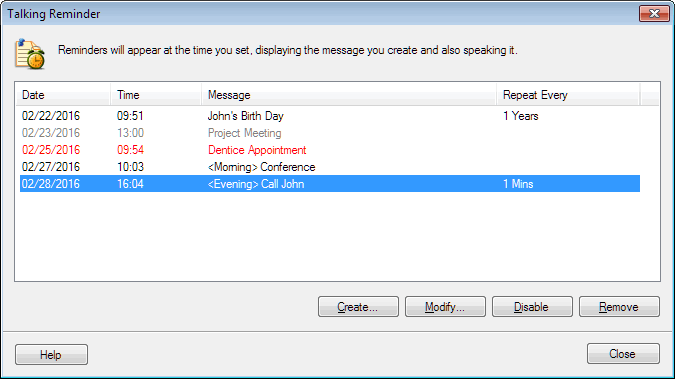
- Click on the "Create" button:
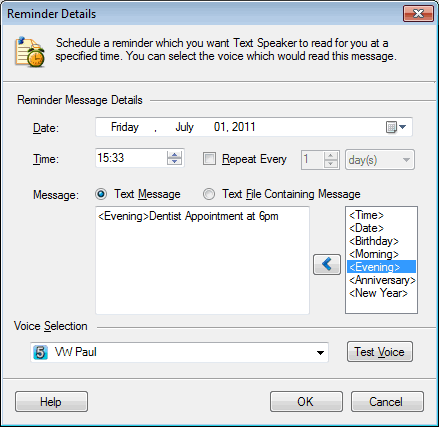
-
Write the announcement in the text box, select Date and Time. You can repeat your reminders after some minutes, hours, days or years.
-
Select a voice to read aloud the reminder and test how it sounds. Click OK
At the specified Date and Time, the message which you have written will be read aloud.