
A faster way of inserting pauses and changing the speed of voice
-
I need to frequently insert Pause -- Is it possible to create hot keys for common values?
Also, is it possible to change speed inside a document?
Please advise.
-
Text Speaker allows pauses of different lengths within your text.
The default timing after a comma is a half second while after a period it is 1 second. Text Speaker allows you to enter a customized pause in your text. Put the cursor at the position where you want to add pause of expected length. Click Edit >> Insert Pause. Use one of the predefined pauses from .25 seconds to 5 seconds or click on user defined and enter the amount of time you would like.
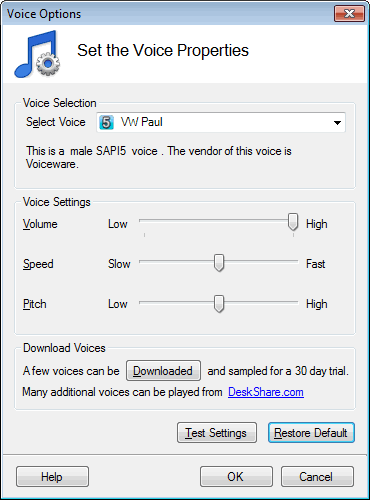
You can easily set the speed of the voice at the beginning of the document. To have passages that play at different speeds, you can place them into separate documents, each with it's own speed.
-
Here are 2 examples of how to Pause after a sentence for 1 second:
-
Use the code <silence msec="1000"/> at the end of the sentence:
Example 1
This advanced text-to-speech application turns words into audio with natural sounding voices<silence msec="1000"/> Text Speaker can read aloud your documents, or you can convert them into MP3 files to listen to anywhere at anytime! -
Or just put a period (.) sign at the end of the sentence as follows:
Example 2
This advanced text-to-speech application turns words into audio with natural sounding voices. Text Speaker can read aloud your documents, or you can convert them into MP3 files to listen to anywhere at anytime!
Setting the speed of the voice can be done from the voice properties dialog as illustrated here:
-