
How I can record microphone and speaker at the same time?
-
Hi,
We have a meeting program. And we want to save meeting. So we need to record sounds that we talked over microphone and also coming sounds from other clients. Can we do this with My Screen Recorder.
Now we can only record microphone and screen. -
My Screen Recorder can record audio from the microphone and PC speakers both at the same time.
To capture the audio playing on the PC and your microphone, click the Record icon from the tool bar. Select the option to Record microphone audio and Record system audio. Then click the OK button to start recording.
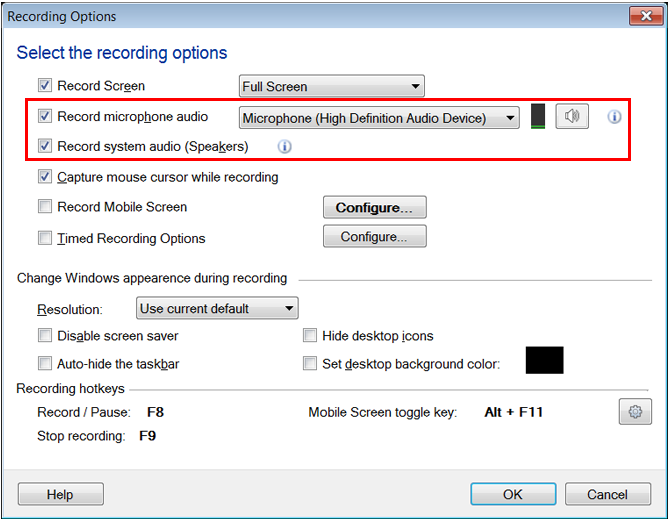
Whenever you will start recording, the audio played on your PC and microphone will be recorded.
Note: Please make sure at least one playback device is enabled.