Turning off autoplay after completing a screen recording
-
After completing a recording and saving the file, My Screen Recorder automatically starts to play the recorded file. Can I turn off the auto playback?
-
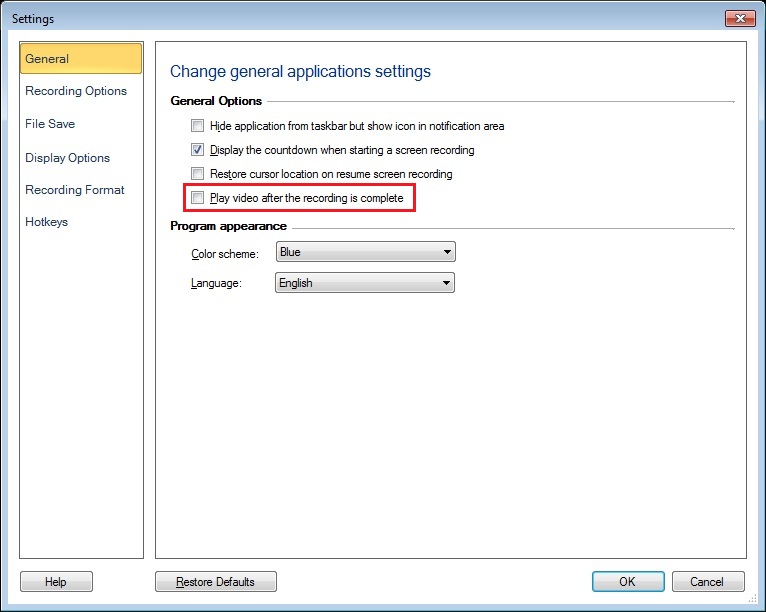
You can turn off auto-playback from My Screen Recorder's general settings.
Click on the ‘Settings’ icon on the tool bar and uncheck the checkbox for playing the video after recording is complete. Press OK button to apply changes and start creating a new screen recording.
Notice the recorded file will not be played automatically after saving.