
Record my screen only when there is movement
-
I am using My Screen Recorder. I want it to record only when there is movement on screen, otherwise don’t record the screen. Is it possible?
-
This can be done using My Screen Recorder Pro. Click on the Settings option on the tool bar, go to the 'Recording Options' tab.
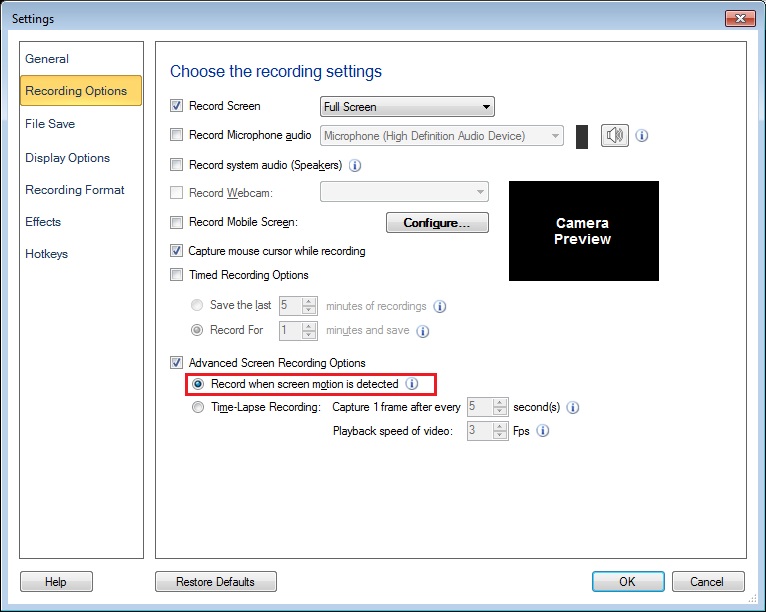
Select the checkbox for ‘Advanced Screen Recording Options’. Finally, choose ‘Record when screen motion is detected’ option and click Ok to save the settings. When you start recording, it will only record on motion detection.