
Display a watermark logo at the beginning of screen recording
-
I want to display my logo image on my screen recording for a few seconds. I purchased the Pro version, how can I do this?
-
My Screen Recorder Pro allows you to add a watermark image on your screen recordings. Click on the Effects menu and select the ‘Image Overlay…’ option.
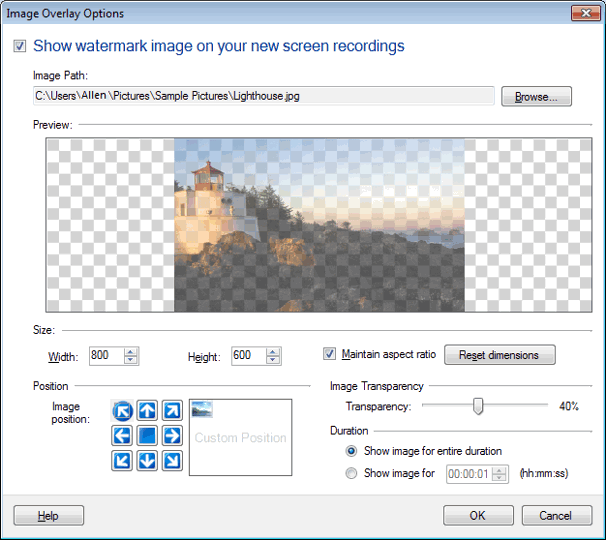
Select your image using the Browse button. Choose the ‘Show image for’ option under Duration section and enter time. You can also adjust size, position and image transparency.
-
My Screen Recorder Pro allows you to add a watermark image on your screen recordings. Click on the Effects menu and select the ‘Image Overlay…’ option.
Select your image using the Browse button. Choose the ‘Show image for’ option under Duration section and enter time. You can also adjust size, position and image transparency.