
Having different colors for left and right mouse clicks in a screen recording
-
I am looking for screen capture software which will allow me to highlight a left mouse click in one color and right mouse click in another color. Is it possible with your Pro version?
-
You can have different mouse movement effects in your screen recordings with My Screen Recorder Pro. You can choose different colors for the left and right mouse click events.
Click on the ‘Effects’ menu and select ‘Mouse Movement Effects’ option.
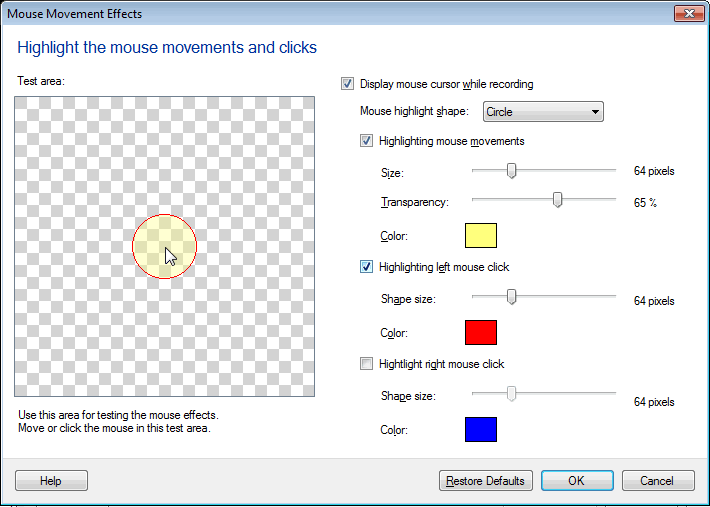
Next, select the checkboxes to highlight the left and right mouse click. Choose the colors you want for each, and click OK.
Try creating a screen recording, then save it and play it. You will be able to see the different colors for left and right mouse clicks.