
Monitoring for motion in a small area on my camera view
-
I have two IP cameras in Security Monitor Pro. I want to know if I can monitor for motion only for a small area on my camera view.
-
Security Monitor Pro allows you to add mask area to avoid false alarm.
To add mask area, select 'Manage camera' from tool bar, then choose the camera and click on 'Edit Camera'. On Mask Area tab, select the 'Enable Masking' checkbox, this will add a new mask area, you can move or change the shape of the region by selecting Grab and Move icon.
The masked area will block motion detection in that particular area.
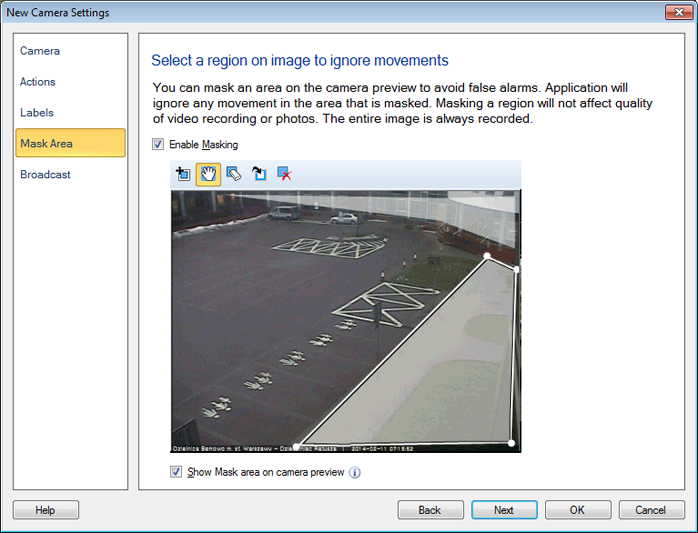
Note- You can also hide the mask area from main window by unchecking 'Show mask area on camera preview'.