
Adding my YouTube channel logo on the screen recording
-
Can I add my YouTube channel logo to screen recordings made with My Screen Recorder Pro?
-
Use Image Overlay effect in My Screen Recorder Pro to add watermarks or logos to your screen recordings.
To add a logo to your screen recording, go to the Effects menu and select the ‘Image Overlay’ option. Click on the Browse button and choose your YouTube channel image. You can also adjust the position and transparency level.
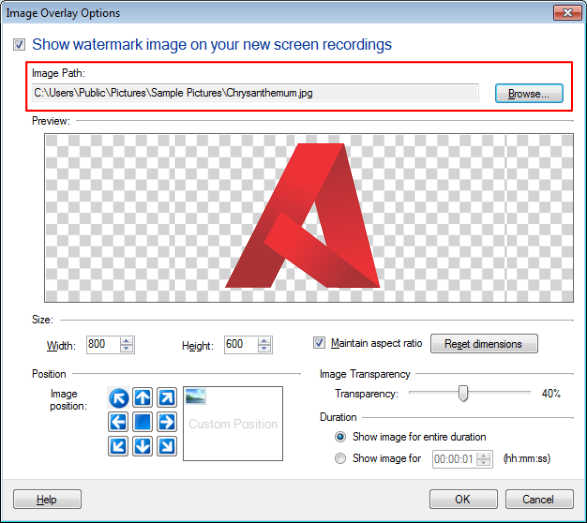
Create a sample recording to test the settings and adjust the Image Overlay settings accordingly.
New recordings you create will have your YouTube channel logo on the recorded file.