
Drawing on screen in My Screen Recorder Pro
-
While creating a screen recording, I want to draw on the screen to explain my point to the viewer. Where is the option to draw on the screen?
-
You will find the screen draw option under the Effects menu in My Screen Recorder Pro.
When you choose to use Screen Draw you will get these options:
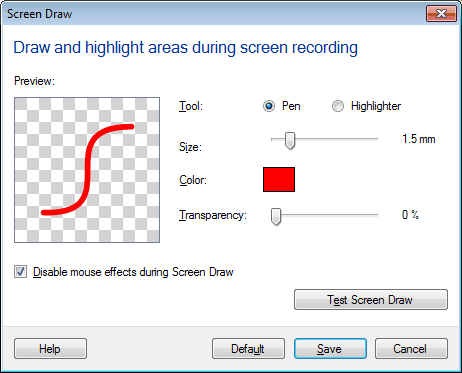
You can select the tool, size, color, and transparency. If you want to test the screen draw and get used to the keyboard shortcuts, click on the ‘Test Screen Draw’ button. When you have completed your selections, click on the ‘Save’ button.
Remember to use the F6 button to start/stop screen draw.