
Hiding the desktop icons during screen recording
-
I am using your Pro version for creating screen recordings. I would like to know if I can hide the icons on my desktop while creating a recording.
-
This can be done using My Screen Recorder Pro.
Click on the ‘Settings’ icon on the toolbar, go to ‘Display Options’ tab.
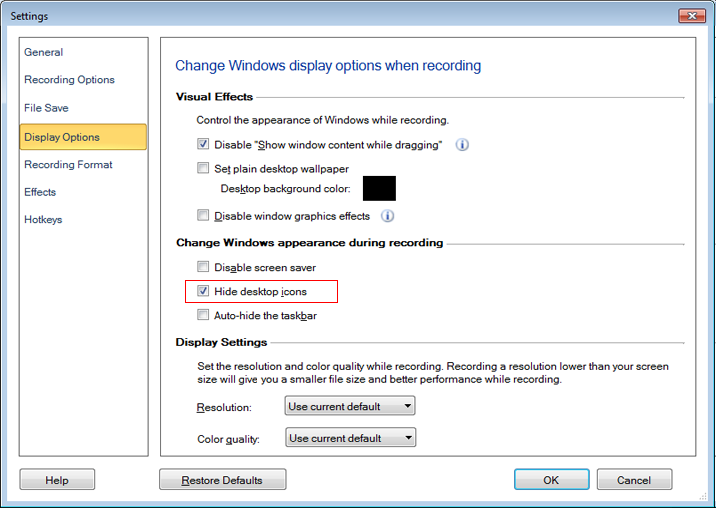
Select the checkbox for ‘Hide desktop icons’ under ‘Change Windows appearance during recording’ section. When you start screen recording, then the desktop icons will be hidden.