
Turning off the screen saver while making a screen recording
-
I have a screen saver on my PC which turns on when the PC is idle for 5 minutes. I am using My Screen Recorder Pro to record my PC screen on a schedule. I am facing a problem, the application is recording the screen saver after 5 minutes. I want know if I can stop the screen saver when the screen recording is running.
Thanks.... -
My Screen Recorder Pro allows you to disable the screen saver when recording is in progress.
To disable the screen saver, click Tools >> Settings >> Display. Select the option for 'Disable Screen Saver' under 'Change Windows appearance during recording' section.
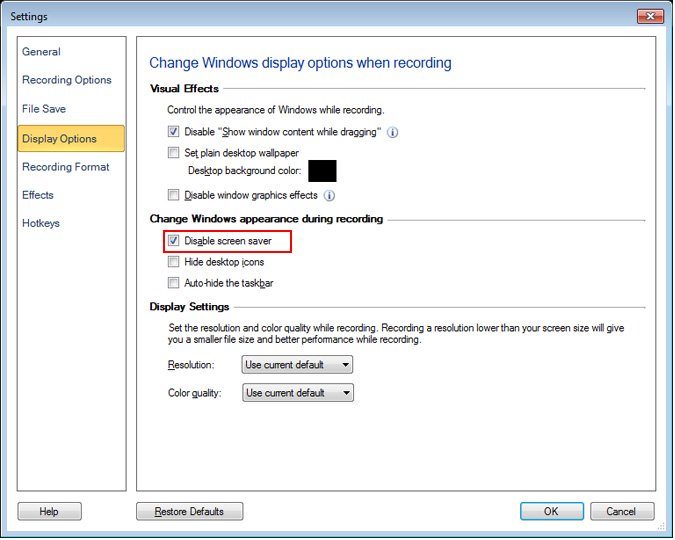
The Disable Screen Saver option will temporarily prevent the screensaver from starting. After the recording is over, it will be re-enabled.