
Taking photos from all cameras
-
Hi, I wonder if Security Monitor Pro will fit my needs. I want to take photos from all my cameras at the same time regularly and save the pictures on my computer.
thanks -
Security Monitor Pro allows you to take photos from all added cameras simultaneously.
To configure these settings:-
1.First add all your cameras.
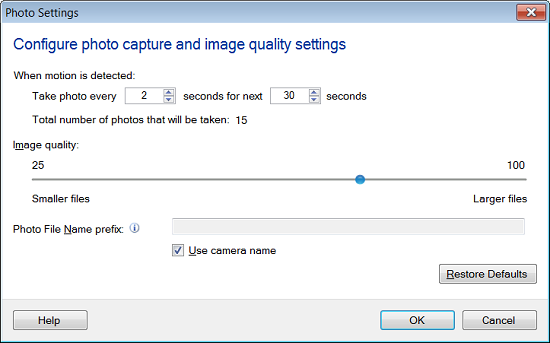
2.Right click on camera preview, select Edit Camera option. On the Actions tab, select At regular intervals of 'N' second option. Enter required time interval between two alerts. The minimum value for time interval is 15 seconds.3.Now, look for 'Select actions to perform' section and select Take Photo action and click Configure button. Set the number of photos to capture and interval between the two photos. Similarly, do this setting for other cameras
4.Click on the Monitor icon from the toolbar. Select all cameras and click Start Monitoring button.
This way photos will be taken from all cameras and will be saved in media folder on your computer. You can change the folder location from Settings option.