
Can I schedule to take photos every second without gaps?
-
I require to take a picture every 1 second from 7:45 am to 17:15 pm , Monday to Friday. Making the daily schedule is ok and I set it to use the monitoring actions. In the action settings I selected take photo but this is where I run into the problem as the minimum time interval is 15 seconds. Due to this I am having a gap of 15 secs with no pictures taken.
Is there a way to get around this issue? -
You want to capture an image every 1 second between certain hours of the day. There are a couple of ways to accomplish this in Security Monitor Pro.
If there is constant motion in front of your camera, you can select to take photos when motion is detected. Configure it to take a photo every 1 second for the next 60 seconds. As long as there is motion, you will have a image taken every 1 second.
If you are using regular interval monitoring instead of motion detection, the minimum time interval available is 15 seconds. The actions will be performed after every 15 seconds. So there will be a gap of 15 seconds.
To avoid any gaps, I suggest you perform continuous video recording for your time frame. You can select Video Recording action from Add Schedule dialog.
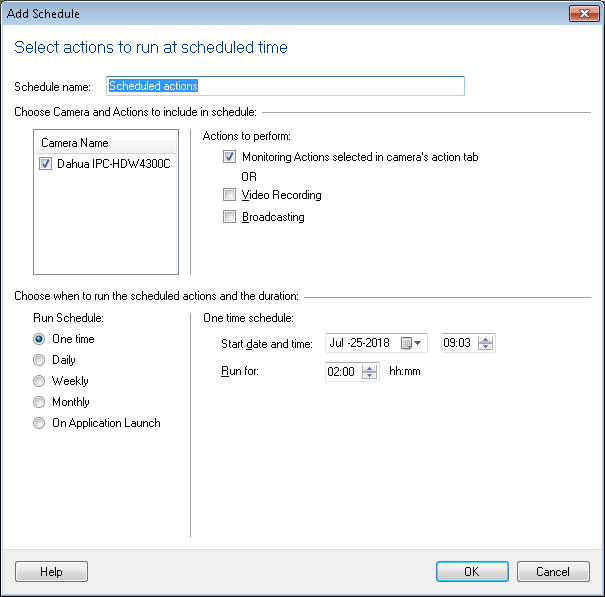
To have a schedule to run from Monday to Friday select Weekly Schedule and select days from Monday to Friday.
Enter the start date and time as 7:45, and the hours to Run for. In your case you can enter "Run For: 9:30".